Gaming has never been so expensive. OK, that’s not true, gaming is - weighed against inflation - the cheapest it’s been since the $1 shareware bin days at the local supermarket. Dedicated gaming HARDWARE targeted at the average consumer has never been more expensive. There have always been elite consoles that were the stuff of school yard legend - NeoGeo, 3DO, The Turbo Express, just to name a few -, but predictive search algorithms holding up the entire fake economy have demanded so much silicon that now entry level consoles, which no longer get the benefit of walled-garden subsidy, are coming in at prices that look like cruise packages. “Our hands are tied” say the giant corporations who are literally behind the Ozian nightmare curtain, shoveling coal into the Furnace of Occasionally Almost Correct Things. “You must bear the burden of the problem we caused because the solution we *absolutely* posses won’t drive shareholder value the way the human suffering engine does.”

I have no cash, and I must game.
Owing to the Enshittifiplaystation 6 being one step away from a set-top streaming box, the X-Box following suit immediately on the heels of their announcement with Helix the Discless being confirmed, the GabeCube being as powerful as a 7 year old mid-tier gaming laptop and costing a number that shot so far past $799 as to actually cause a globally heard record scratch, Nintendo doubling down on weird digital dongle cart blanks with online-required patches making up the bulk of the software, and any myriad of other depressing, AI-filled, late-stage suck gaming news, the landscape for the hobby is as bleak as this sentence was run-on. The aluminum lining on this Vanta-Black cloud is that it’s becoming cheaper, easier, and better than ever to play the unimaginably vast existing galaxy of games.

Emulation is a no-cost (minus a few things you likely already have, such as a PC newer than 2013 and a VPN…stay safe!) entry to a library of games so large it would be impossible to even sample it in any meaningful way in a lifetime. There are emulation handhelds that put enough power to drive perfect emulation of up to 5th gen hardware into hardware you can have on your doorstep in days for under the cost of a single AAA game that you can never own. There are new preservation methods for old hardware that put real-hardware-only buffs into a place where restoring old hardware is cheaper than buying new, even if a bit limiting, platform-wise. Powerful single-board computers make a DIY emulation wonderland cheap and easy enough for almost anyone, and with enough juice you can even get into some light 6th gen gaming on something like a Pi5 or an Iota. There are just tons and tons of options.
One choice people can make when deciding on their ‘primary’ device for retro gaming is FPGA. “Why the what and how? Also…a little…whom?” I hear you asking. Don’t worry about it. I took a pill I found on the floor at a gas station. It’ll go away. But I’ll answer the voices anyway. FPGA (Field Programmable Gate Array) is a now somewhat genericized term for support hardware and software systems built around a chip that allows hardware simulation in a fabric of logic units. In a massive oversimplification, the silicon is recreated electronically, making the output functionally identical to the original chip it’s simulating. This allows many parallel, individual components to be created in the array and wired together, creating an electronic copy of a physical component. These “cores” (a compiled layout for the entire simulated system targeting a specific FPGA architecture), when wired to I/O through host boards, simulate much hardware so well, their components can be screened into ASICs (Application-Specific Integrated Circuits) as drop-in replacements for real failing hardware. Why is this important? Honestly, it’s not in the slightest these days. Emulation has gotten to a point where anything an (affordable) FPGA can recreate, a desktop, laptop, or even handheld gaming PCs like the Deck can run frame-accurate with room to spare. BUT, a small number of CYCLE accurate (all memory states, registers, frame buffers, etc involved in a cycle of the main clock on a system matches what real hardware would read if probed at that moment in execution) issues could potentially come up on any emulated system due to host conflicts, performance, system priority, and so and such forth on cetera et and whatnot. Whether or not that would ever be perceptible to a human doing human things humanly is up for debate, though almost every emulator will experience some hiccup at some point due to system stress or memory leaks somewhere upstream. A quick reboot will, with 5 9s of Old Guy on the Internet certainty, fix the issue. FPGA has a consistency advantage simply through its function of simulating hardware at an electrical level. The silicon lottery is not part of the equation. You know what you’re going to get every single time you load a core. Their timings are so precise you can play lightgun games and other games which require analogue timing down to beam-chasing (using the clock to update video signals being sent to a CRT’s beam driver mid-scan) fidelity. Provided, of course, you have a CRT display and the FPGA has been harnessed to outputs it supports. It sits in a niche between hardware purity and emulation accessibility, with a lower price tag than the former, but a higher one than the latter.

Weapon(s Manufacturer) of Choice
If you’re in the target demographic for FPGA solutions, you generally know, but if you’re window shopping, the landscape can be overwhelming. The term gets plastered on tons of hardware and it has many different levels of integration over the entire hobby of retro gaming. So please, come along even if you’re not fully decided on FPGA at all - seeing the differences in offerings may help you make up your mind. Or confuse you more. I dunno, humans are weird.
The choices range from extremely cheap drop-shipped DIY to fairly expensive full ‘modern console unboxing events,’ designed to restore a feeling more holistically, amping everything up to break through the calloused dopamine system of burned out adults and rekindle a spark of joy felt on some holiday morning decades ago. From open to guard-railed to fully locked off. From buck nekkid circuit boards to elaborate or whimsical cases. There are a ton of options which, under the hood, deliver the same experience. They differentiate themselves through additional features, integration of menus and subsystems for development and output hardware often, and occasionally they have an entirely different platform, being built out independently from large public projects like MiST, MiSTer, Tang, and OpenFPGA*. Little separates the performance of the cores themselves on any of these platforms until you get to some of the 32bit systems. Even then, there’s little between them at stock performance. None of the 32bit systems are truly cycle accurate on any of the current FPGA platforms anyway. Don’t @ me. They aren’t. The closest is GBA. And I could go into about 20 pages on why that’s true but I don’t allow comments here anyway, so why bother? It’s my truth. It just also happens to be THE truth. What you do get is, again, consistent, usually frame-accurate performance that isn’t tied to a host OS’ system queue. The point is, once you start bending a little on the hardware accuracy, bending a little more becomes easier and most of these systems have QoL improvements that throw accuracy out of the window (and that I do recommend using, personally). Things like overclocking, post processing toggles - for N64, these are key-, expansion hardware, extra RAM for homebrew, and a lot more are on the table and allow for some differentiation amongst the available higher-end options. Separating them further are the ethics of supporting an actual IDF arms dealer because you like translucent plastic versus not…doing that.
*OpenFPGA is currently only implemented in a single Analogue-branded handheld. While it does provide a fully featured framework, making porting cores from other projects easier, it’s essentially a single-product framework owned by a company. But it does exist with an avenue for deploying it elsewhere, despite nobody choosing to.

Ride the Cyclones
Let’s start off with the biggest, but most ubiquitous options out there. The MiSTer project, built on the Intel nee Altera Cyclone V. The project started in 2017 when a developer got fed up with trying to get usable video out of the MiST project (more info). Driven, like so much of humanity’s progress, by frustration with the stupid choices of our forebears, dev Alexey “Sorg” Melnikov turned to the Terasic DE10-Nano; an educational project board which had just released. This new hardware provided an affordable, widely available, off-the-shelf solution to developing for the MiST project that provided things like USB and HDMI support. Sorg started work on the framework which became most of the projects in this section. Some products consume the project directly, which is allowed, while others fork it and add some of their own customization.
DIY MiSTer
The DIY set has a number of options. First is the OG, the DE10-Nano. This board is still available directly from the manufacturer or through suppliers like Mouser or DigiKey. Quoted lead times are often high directly from Terasic, though just as often they ship much faster upon order. The price at the time of this writing is $225USD or $190USD with academic ID, putting it at the current highest-priced spot for DIY options, though easily the most consistently available. Additionally, it comes with a lot of packaging and additional cabling and software for FPGA development. If this interests you, this may be the best option for the educational support built around it by default. If you just want to play games, this is all landfill.
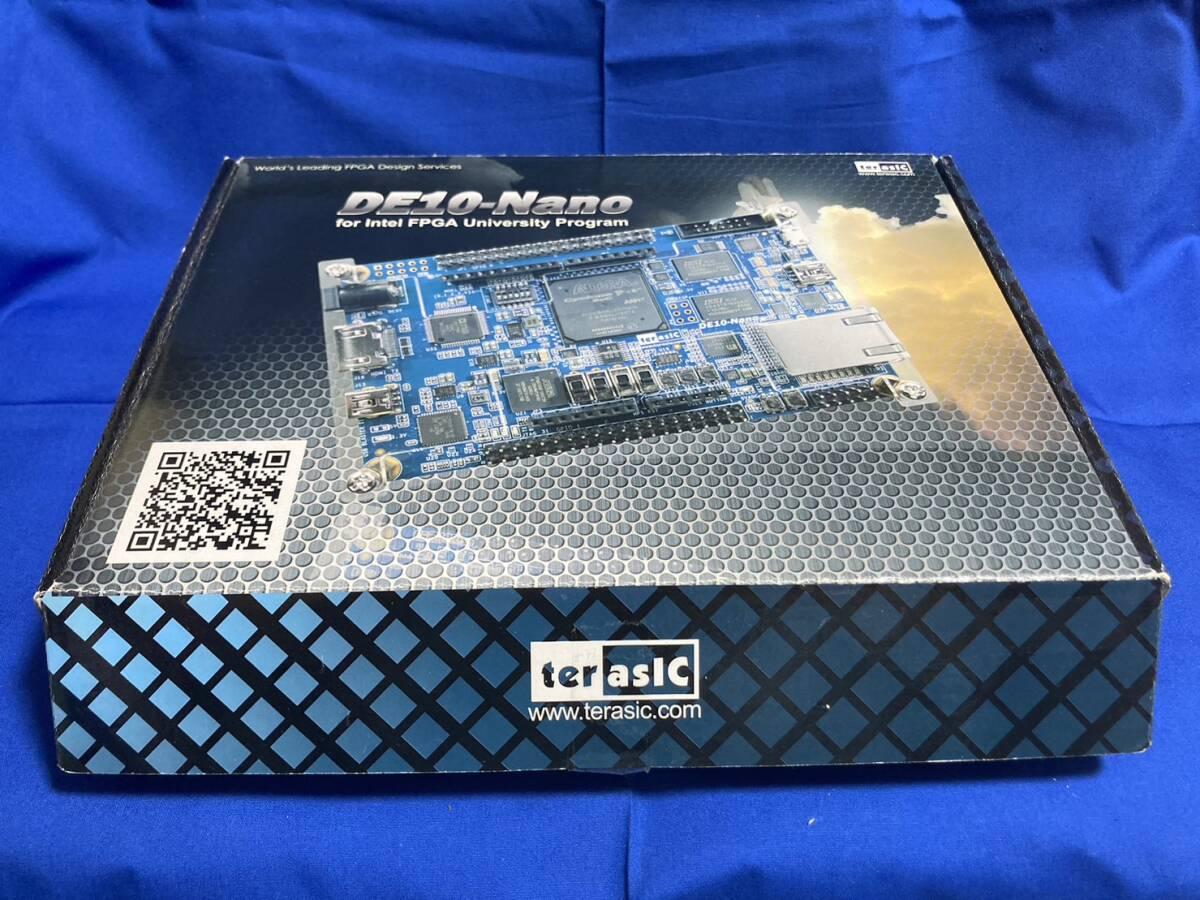
In addition to the board and its shipping fees, expect to buy a few add-ons to get the most out of it. A 128MB stick of DDR3 expansion RAM, a USB hub, and a larger microSD card (the included 8GB card is very low quality and it’s recommended you just throw it in the drawer you throw things to forget) are a bare minimum for most people. I like to do a ‘full stack’ build which is the DE10-Nano board, a USB hub board in the same footprint that connects with onboard pogo pins or an S adapter, and an I/O board with buttons for power, reset, and menu, as well as optical audio out, analog audio out, and analog video output via a DE-15 connector with options for composite sync, sync on green, VGA-compatible RGB, and a ton more. There are a series of jumpers and power bridges and occasionally HDMI rerouting depending on the I/O board you go with. Some have features like 24bit color or arcade JAMMA hookups. If you have a use case for anything special, odds are someone has already solved it and it’s readily available. There are options for passive cooling, active cooling, water cooling, 3D-printed cases, acrylic cases, themed cases, milled aluminum cases, ITX cases, retro cases, boards to fit these cases, all-in-one boards that provide RAM, I/O, and more USB all hooked up through GPIO pins, expansions for a realtime clock, an audio input for tape drives, expansions for MIDI, expansions for original controllers and accessories via SNAC/SNAX (Serial Native Accessory Convertor).
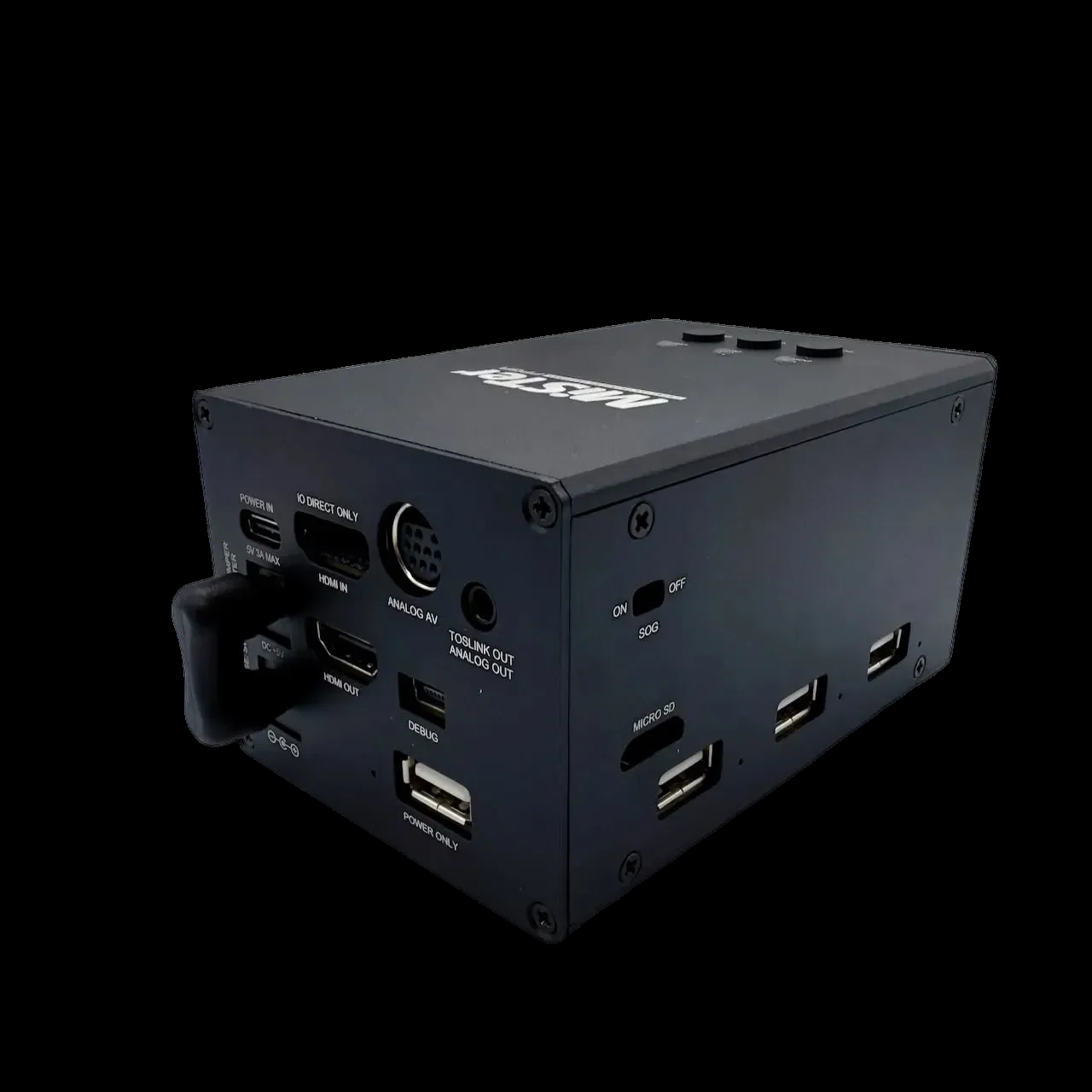
DIY MiSTer is extremely customizable is what I’m getting at. You can basically turn one into a candy cabinet with a few extra parts. Providing, you know, you own the candy cab. It can be a bit overwhelming because there are so many options and they all have similar names and depending on where you live in the world, the entire ordering process and accessory supplier chain changes. The DE10-Nano is the compatibility gold standard and will just work with nearly anything calling itself ‘MiSTer’ such as IronClad, MiSTerCade, or this monstrosity from across the pond.
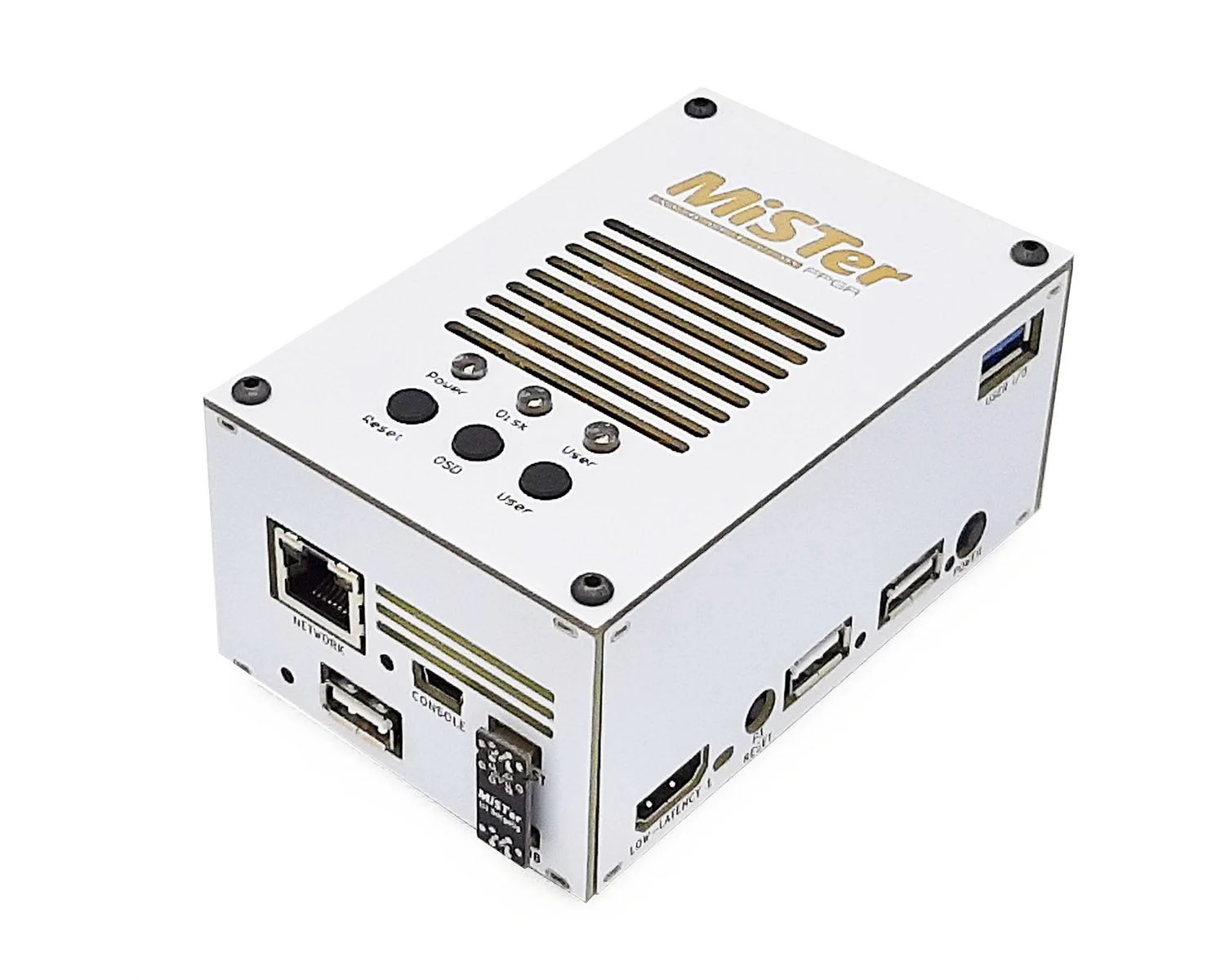
Fiberglass board 3D terrorbox puzzles aside, you’re not stuck with the Terasic board for MiSTer. There are a number of alternate options, with . Taki Udon offers a clone board which is generally around $100 alone or $150 in a kit that includes some common upgrades. Full kits with cases occasionally show up as well, but he has shifted most of his manufacturing to the SuperStation and its follow up hardware, which we’ll talk about in a little bit. If you follow his social media accounts, he does announce restocks and it’s a dash, but not a MAD dash to get them before they’re gone.
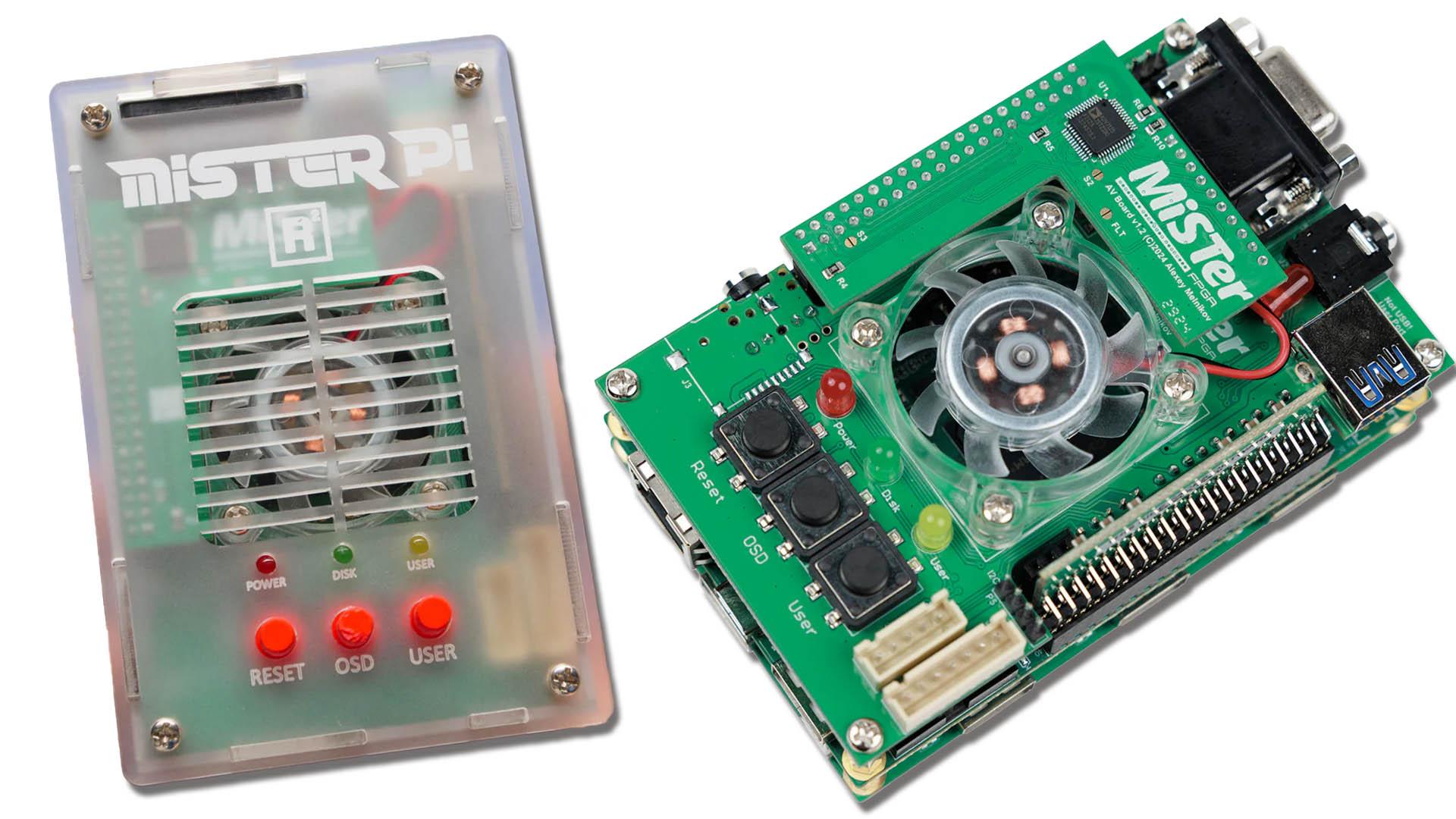
Another option is QMTech, who came in with another ~$100 offering as a drop-ish replacement for the Nano. While the formfactor is mostly the same, ports have shifted, cable headers have moved, dip switches and GPIO pins have shifted alignment. This means compatibility is usually something that needs to be explicitly called out on accessories. Some, such as the IronClad case, come with adapters specifically for the QMTech design. Some cases have a QMTech faceplate option. But not all accessories support it, making it the least universally compatible option of the major clones. All available clone boards also use a slightly different version of the Cyclone V, rated for a wider temperature range, but with a slightly slower internal cache on the ARM core. This doesn’t translate to any performance issues that I’ve seen.

As with anything that presents itself as open, camps have formed that are a bit of an annoyance when you’re trying to get into this stuff. And DIY generally requires eventually interacting with the community. The Linus of this whole endeavor, Sorg, is notoriously prickly - to the point where the forum actively warns you about this when you visit it. This, of course, emboldens the ‘annoying prickfaced fuckknuckle,’ as we call them in the community. The takeaway by non-geniuses from a gruff, stubborn genius in a position of authority is always that the gruffness and stubbornness is why they are where they are. So you get a lot of …just read my previous post. Beyond that barrier to civility, there is also a strange culture war going on right now that I won’t get into, but believe me when I say it’s some playground frolics hijinks nonsense.
Terasic DE10-Nano
Pros:
- Availability
- Consoles Supported
- Can be used with analog accessories
- Customization
- This IS the development platform where most cores start
- Active dev community with lots of support resources
- The most mature platform
- Built on Linux, remote management
- Dual-RAM digital-only options exist, but are sparsely utilized
Cons:
- Price fluctuation
- Higher priced than the clones
- “Stack” formfactor can be limiting/cumbersome in the livingroom
- Older architecture
- Bad actors in the community
- Overwhelming for novices
QMTech
Pros:
- All of the DE10 pros except compatibility
- Price
- The most mature of the clones
Cons:
- All of the DE10 cons except price
- Compatibility. By far the least compatible of the DIY boards
- Availability fluctuation
- Exacerbates confusion by having limited support for accessories
MiSTerPi
Pros:
- All of the DE10’s pros
- Price
- 32GB MicroSD included
Cons:
- All of the DE10’s cons
- Availability
Consolization Prize
The pricetag on pre-assmbled MiSTer kits is generally pretty high if you can’t catch one of the clones during a production run. Still south of whatever the next terror Sony spits out will cost, but not far enough south for many people as to make this a more attractive prospect than emulation. Enter the consolized MiSTer clones. There are a fair number of these available from dubious sellers on AliExpress, eBay, and Amazon Marketplace, none of which I would personally buy from. But YMMV. So for this I’m going to stick to the major players. We’ll go chronologically for this first entry because it’s the one with an image I already had uploaded. The Multisystem² MiSTer consoles. These are from The Retro Collective (formerly Retro Man Cave) and use a custom PCB in an injection molded plastic case.
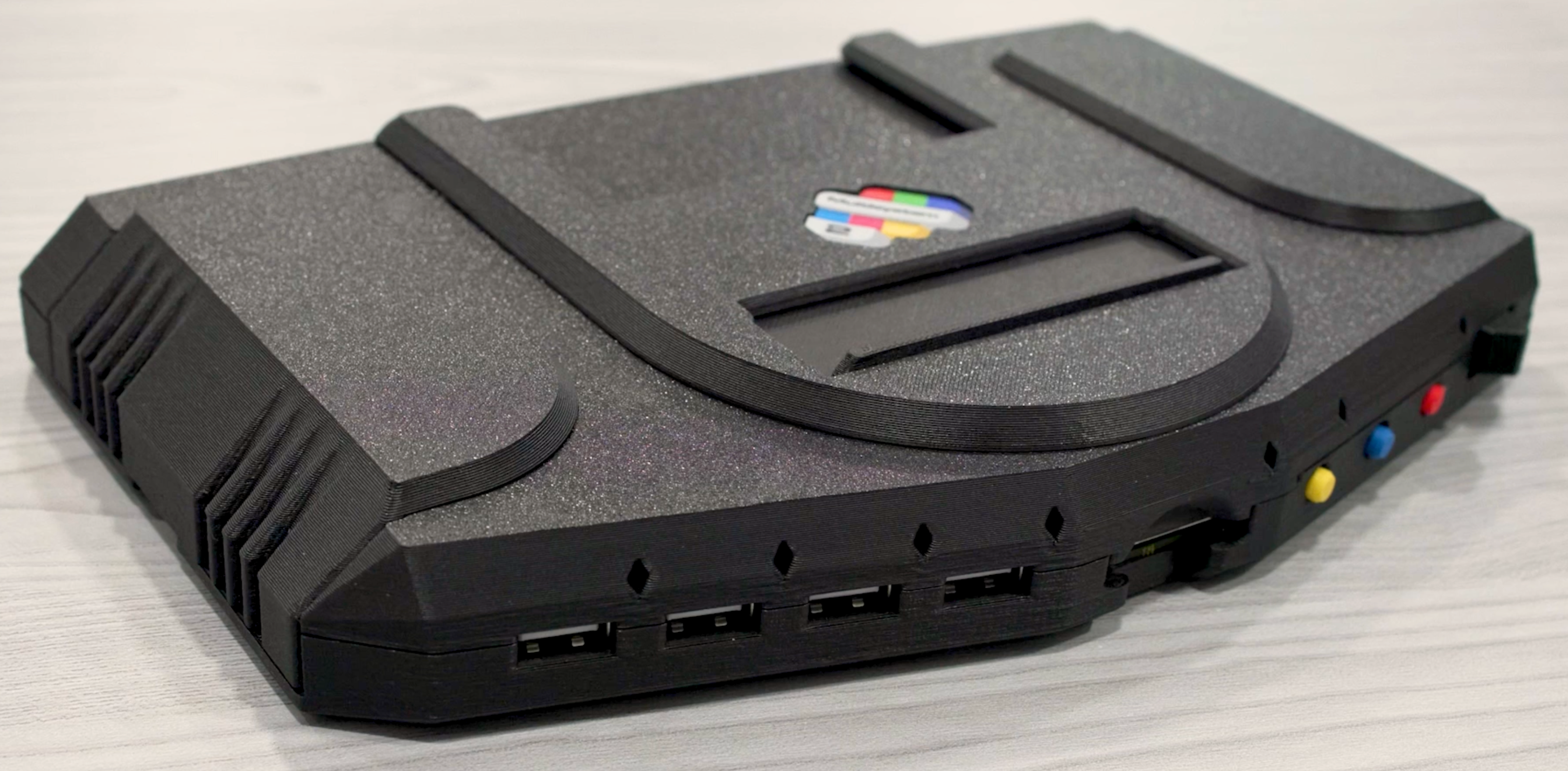
In addition to a standard MiSTer setup the board includes the 128MB RAM expansion, passive cooling, USB hub, and an NFC reader for Zaparoo/TapTu* support. A second analog model also includes a 24bit analog video out, D15 port with the same customization options as on the MiSTer analog I/O board, 9pin mini-DIN, and an exposed expansion port for proprietary interface with the user port on the MiSTer via modular upgrade carts. This is fun and for SNAC adapters, it can be a much more elegant solution than a cabled mess, but ultimately it’s another proprietary bit, so worth thinking about for future repairs and replacements. The current price is ~$230USD (without export/VAT) for the base digital system and ~$300USD (without export/VAT) for the analog system with the additional connection options and ethernet. There is, additionally, design built into the console specifically so a generic screen can be mounted to turn it into a slightly ruggedized ‘portable’ party system for tournaments, gaming events, expos, computer get togethers and the like.
*Zaparoo and TapTu are NFC-based loading systems for games to replicate the ‘ritual’ of putting a game in the console by bypassing menus.
Multisystem²
Pros:
- Availability
- Price competes with clones, not Terasic
- Sleek console design
- Zaparoo integration is central to the design (complimentary)
- Lots of connection options on the analog version
- Optional screen integrates well, despite being designed for other systems
Cons:
- Zaparoo integration is central to the design (derogatory)
- Limited to UK without steep fees
- Proprietary expansion cartridge slot limits future support
- Non-customized MiSTer OS experience (If this is a pro for you, feel free to PRO…mote it)
- Shell feels less premium than other offerings
- No included MicroSD card
- No option for dual RAM
- Digital version requires wifi dongle or removing the microSD card for management
The SuperStation from the previously linked Taki Udon is another consolized MiSTer solution with a much more compact footprint than the Multisystem. It also runs a custom PCB and has 128MB of built-in RAM. A quick aside, the RAM tests faster than any other Cyclone V FPGA I’ve tried, locking at the initial 167MHz of the RAM test and never dropping. The aesthetic is pure PSOne. Specifically the miniaturized, late-life re-release of the first Playstation that looks like it got jumped by Sanrio and hammered into something sold in a blister pack.

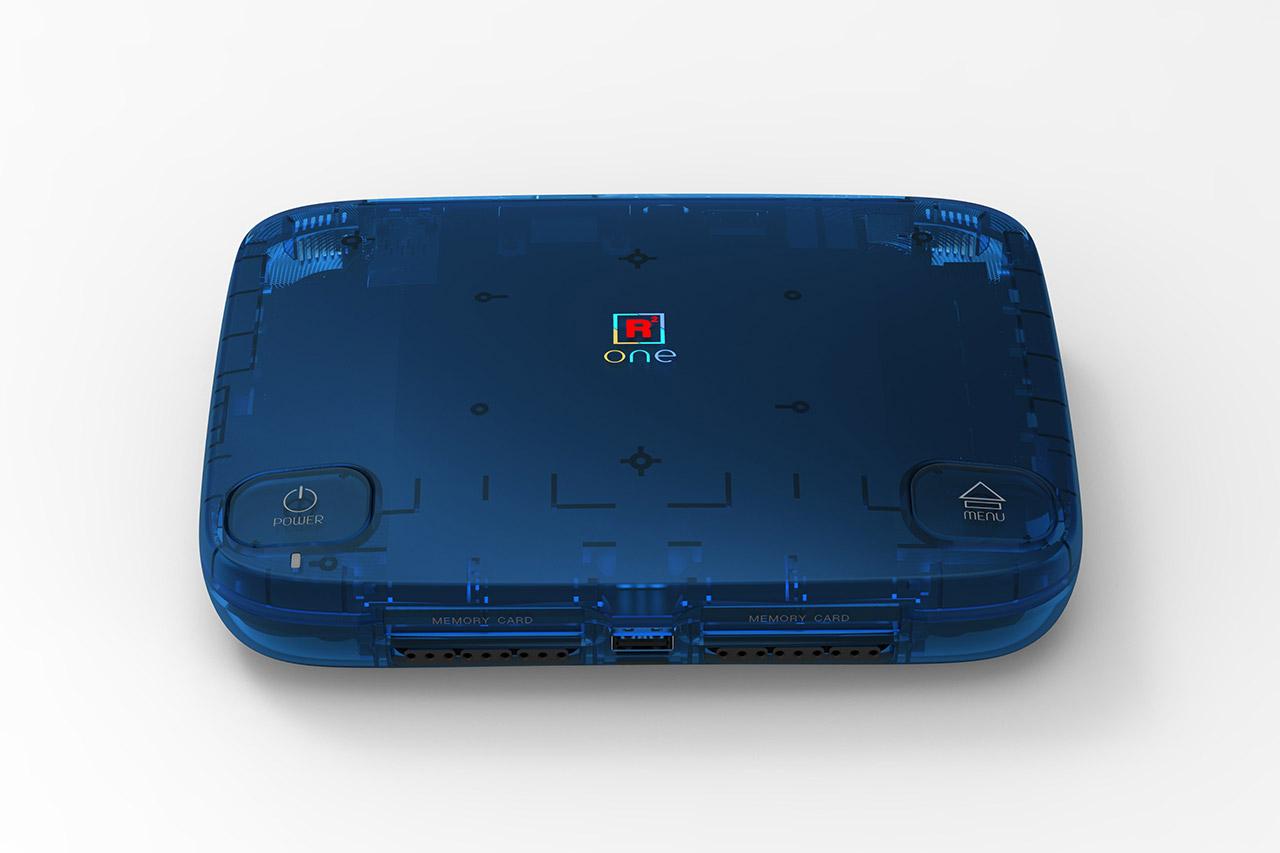
Apart from knowing in advance it was a MiSTer at its core, you would be excused for thinking it was a single-tasker like the Analogue3D, which I’ll eviscerate later. The system comes after a very reasonable year and change of development time. The build quality is solid and the board design is well executed and very professional looking. The homage to the PSOne continues as we go down the feature list for the console. It includes two PS1 SNAX ports* and 2 SNAX-based memory card slots built into the console. This may trap customers who are new to MiSTer since, because they are built into the console, it feels like you should just be able to plug in a PS1 controller and go. SNAC, however, cannot be used to navigate the MiSTer menu. It is directly wired into the I/O of the core so it must be enabled through the menu with another controller or keyboard. Moving down, the MicroSD card slot is on the front in the center and leaves some edge overhang so the card can’t be lost inside - the bane of the DIY MiSTer case. The USB ports are cut down from the standard 6-7 on most hubs and the Multisystem to 2 on the back and one on the front. A powered hub can be attached, but it’s very limiting if you want to use wired controllers or have a keyboard and mouse hooked up for PC gaming. There’s an expansion port on the bottom for use with the optical drive (hold that thought) and, one would hope, future SNAC controller modules. What it lacks in USB connectivity it makes up for in video output options. It has a fully implemented composite, s-Video, component RGB, D-15, DIN10 “Saturn” 24bit out, and an in-built composite gun-con sync port (again, showing the design DNA of PSOne extends beyond just the aesthetics). Audio is available over HDMI, analog stereo, or optical. An Ethernet port, wifi, and Bluetooth round out the additional connectivity over a stock MiSTer stack. At $210, it’s currently the best value prop on this list. That is, if you’re willing to wait. And…there’s something else we need to discuss.

The discus. Must be discussed. And the discourse is thus: shit don’t work.

The SuperDock, which was planned to release with full support for reading and backing up Playstation games from real media can’t read anything right now. The add-on still functions as an additional 4 USB ports, has an M.2 drive port, and does some IR nonsense for remote control (and for $40, so temper your temper), but the core functionality as an optical disc reader for Playstation (and one would assume other cores, potentially) just isn’t ready. This comes in parallel with the news that the custom console-mode OS is also not ready. All of that said, if you want a MiSTer and you like or don’t mind the PSOne look, this is a hard one to not recommend at the price it’s being offered.
SuperStation
Pros:
- Price - you get a lot for your dollar
- Most of MiSTer’s pros, except availability and dual RAM.
- Very fast expansion RAM
- Setup is easy for a novice IF they watch the guides
- Video connectivity is very robust
- Solid build quality
- Very sleek console design
- Lots of bonuses for Playstation fans
- Nice packaging, very long USB-C cable
Cons:
- Some of the wider MiSTer cons like community issues and older tech, but it solves many
- No dual-RAM options
- Limited USB ports without dock
- Some things gated behind the dock (User port passthrough, in example)
- No power brick (must be >2Amp)
- SNAC ports for PS1 may confuse novices since they can’t be used to control anything outside of PS1 games, including any menus
- Custom ‘console mode’ OS is not ready, unknown future release date
You had ONE JOB to do. ONE JOB!
Single task FPGAs are a little strange for me. Logically I get why they are stupid. I also, logically, get why they are preservation and part of the story of this hobby. Someone out there with a full N64 collection is going to absolutely be thrilled with the Analogue 3D as is, no notes. For me, personally, they aren’t useful in a world where MiSTer exists. The Rolls Royce of Doing One Thing Kinda OK is Analogue. A boutique retro company, Analogue hit the scene as a player in FPGA in 2017 when they released their Nt Mini. The successor to the Nt, which used real Famicom parts, the mini moved to a Cyclone V, like our beloved MiSTer. Though a version with fewer logic units. The system got a jailbreak making it compatible with a number of cores, but none that required external RAM. They released FPGA versions of the SNES and Genesis/MegaDrive which both also got jailbreaks, opening them up to SD loaded ROMs and a handful of additional cores. In 2021 they dropped the Analogue Pocket, which I would review on this list but I think fits a different niche than the ‘console’ FPGA. The dock not withstanding. The DAC still not working. Zing. I think that if you’re a portable gamer and like FPGA the Pocket is just the only current game in town, so there’s no need to compare it. I don’t like it as a console at all. Double no reason. I don’t own a Duo so I can’t really speak to that. But the Analogue 3D is a Cyclone 10. and I just want to hate on it for a second. The company put a very beefy FPGA in the 3D. Which was likely required because, as I mentioned earlier, N64 is ‘good enough’ on the Cyclone V. But if you want to get closer to cycle accurate, you’ll need more chip than the MiSTer can muster. The irksome bit about all of this is that Analogue is basically the only game in town running the OpenFPGA project. And they won’t enable it on this device, which would be absolutely outstanding at being a MiSTer replacement/upgrade for the $269 price tag. I don’t understand the reasoning, personally, but it’s their company. They’re not selling subscriptions or games or licensed anything, so why throw a limiter on demand up like that? Perhaps it’s just support costs, but what we’re left with is a system that’s got an absolute beast of an FPGA under the hood and can only use it to emulate the worst console shut up THE WORST CONSOLE of that generation.
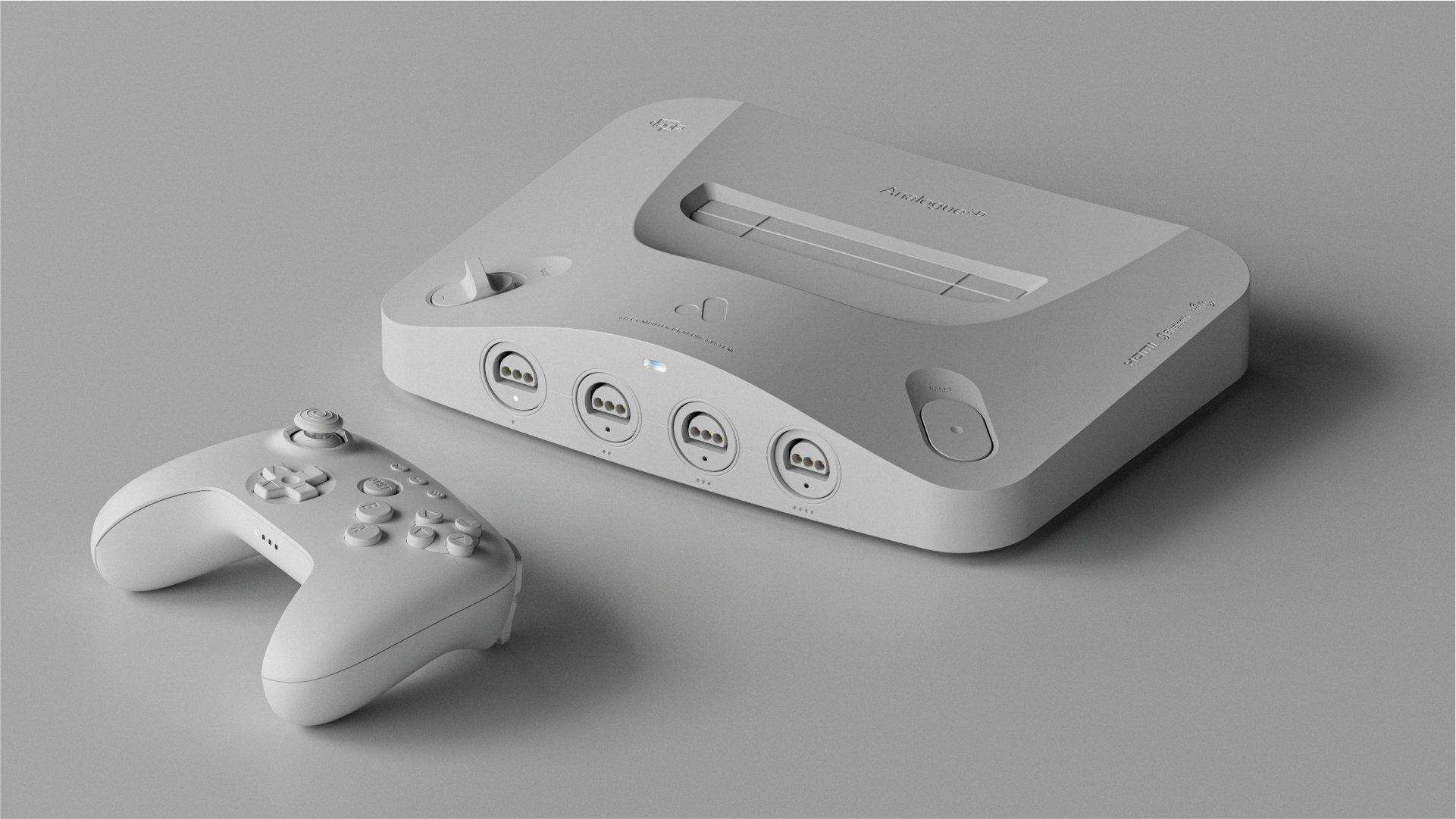
For what it does and for what it’s marketed to do, it’s certainly best in class at doing that. The overclocking mode is stable and well implemented. The work with 8bitDo (it’s ‘do’ like ‘doe.’ The way of 8bit. Not ‘dew’ like it’s some kind of memory-limited energy drink) on their controller is solid and the system’s build quality is second to none. It feels like premium kit. If the only thing you care about is N64, why don’t you already own one? Otherwise, if you’ve got some cash to burn and just adore the console, this isn’t a bad premium experience. For this one, very silly platform.
Analogue 3D
Pros:
- Great build quality
- Very powerful FPGA for the price
- The best FPGA experience for N64, hands down
- Save states, screenshots
- QoL improvements and graphic improvements
- Upscale (post output)
Cons:
- It just does this one thing
- Still not fully accurate
- Requires carts or an Everdrive, no SD game storage
- Analogue has a moron calculating their shipping costs
- Plays N64 games
Unfortunately, any slight boom in an industry brings profiteers. And profiteers tend to be people of low moral fiber. And people of low moral fiber are anyway this is about Palmer Luckey. Luckey is a giant piece of human garbage and he is releasing the M64. Unfortunately, the N64 core developer on this project is a good person, but holy shitballs, this Smeagol by way of the IDF, Ted Nugent’s Bathtub Raisin Clone, absolute dirt clod of a person running the show makes it an instant no.

M64
Pros:
- Nope
Cons:
- Powered by AMD and the death of thousands of innocent children
- New architecture means cores need to be rewritten, few have been
- Broken initial firmware
- OS has bad HDMI code
- Dude literally makes money from dead civilians
Use Your Conclusion 1
So what’s the best bet if you’re just getting into FPGA? Hands down the winner for a plug and play option, to me, is the Superstation. The RetroPi would be my first pick if it weren’t unlikely to be available any time soon, but for the average person who isn’t in a hurry, I have to go with the Superstation. It’s got a few quirks and is definitely more exciting if you’re a Playstation fan, but even if you’re not, the limitations are offset by the price, the ease of use, and the functionality all out of the box.
If you have the cash and don’t want to wait, the only real game in town is a Terasic DE10-Nano and a build from the various accessory dealers’ available inventories. I’d caution once more against eBay, Ali, and Amazon Marketplace for MiSTer components as in my experience they have trended toward lower quality than I find acceptable. And if you have it in you to wait, go search up the Superstation and get in line. It’s a great deal for what you get. Unless you know you need more USB ports, I’d skip out on the SuperDock. At $40 maybe it’s worth it to you, even in its current state. But never buy anything for the promise of a future update, you know?
Use Your Conclusion 2
Don’t buy shit from arms dealers. No matter how ‘grape’ it looks.